Afternoon at UC Davis
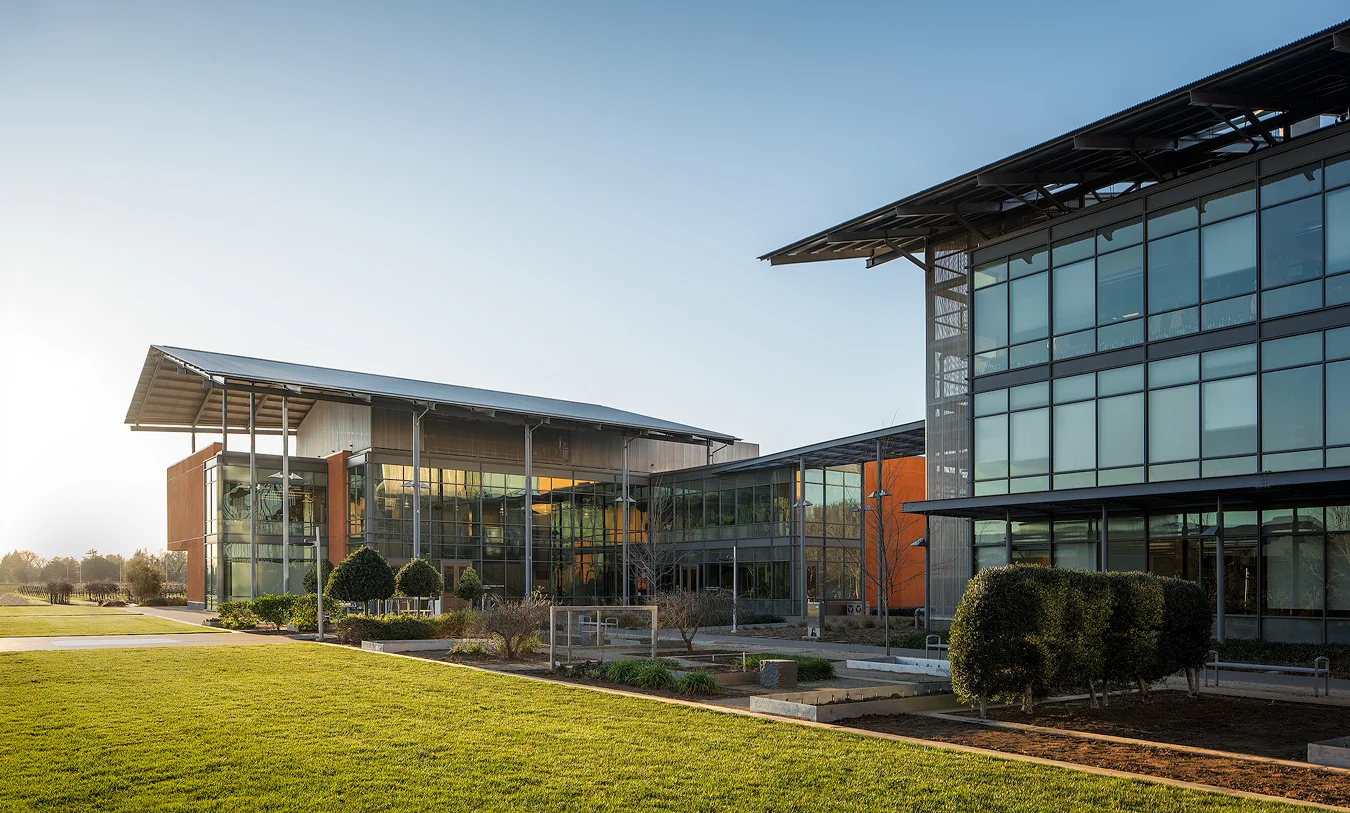
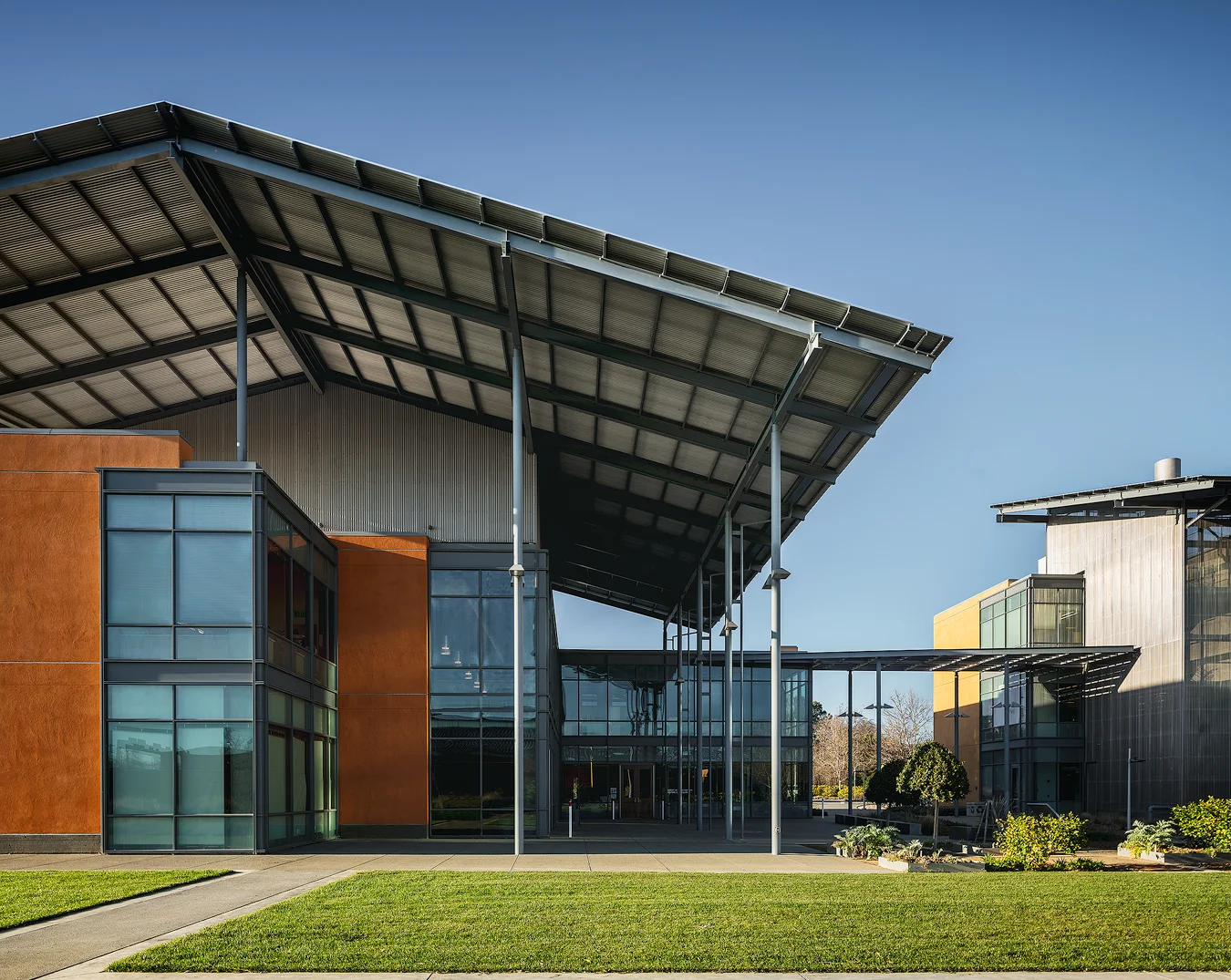
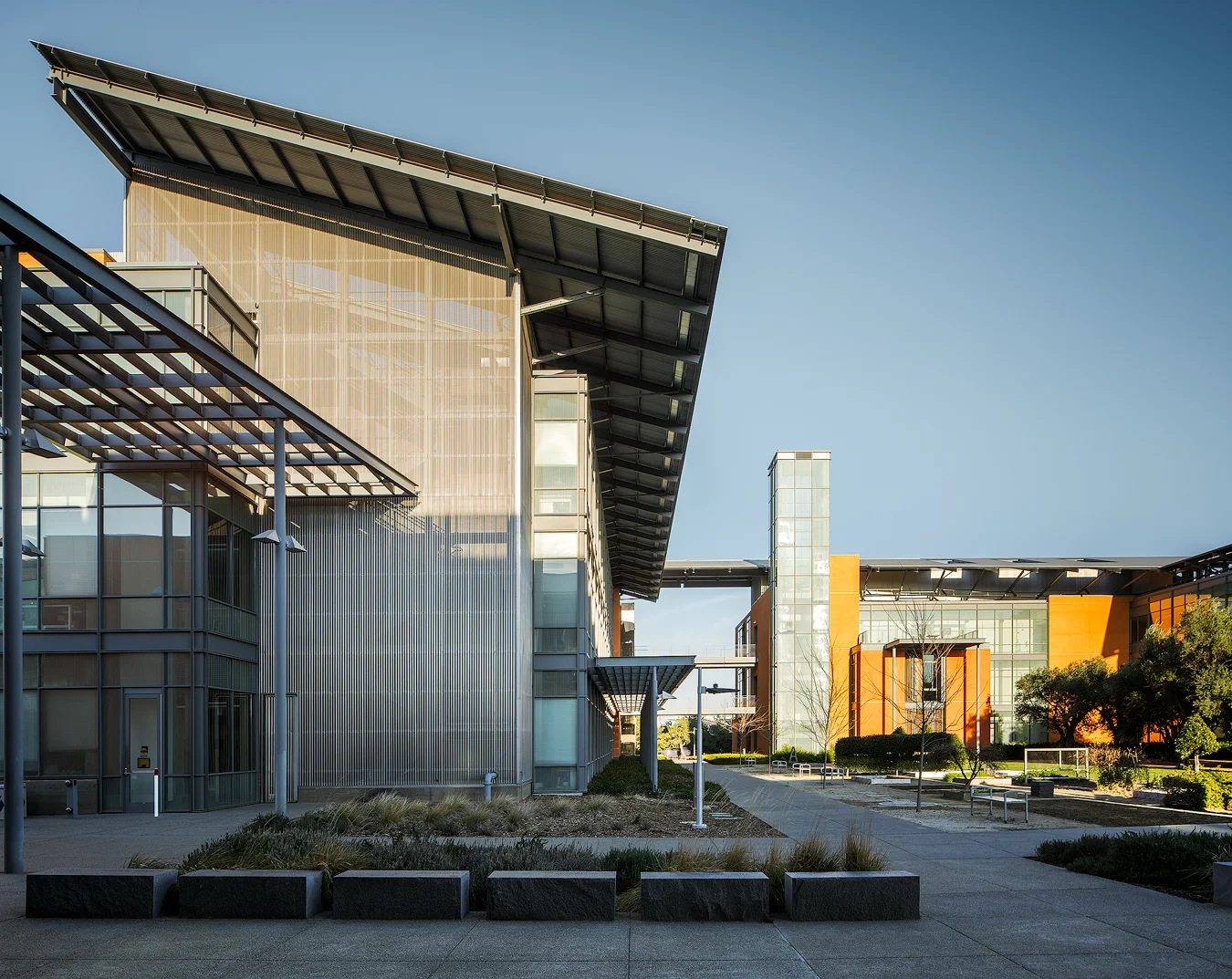
Last week I spent friday afternoon at afternoon exploring the Viticulture & Enology building at UC Davis.
Cooley Landing Education Center

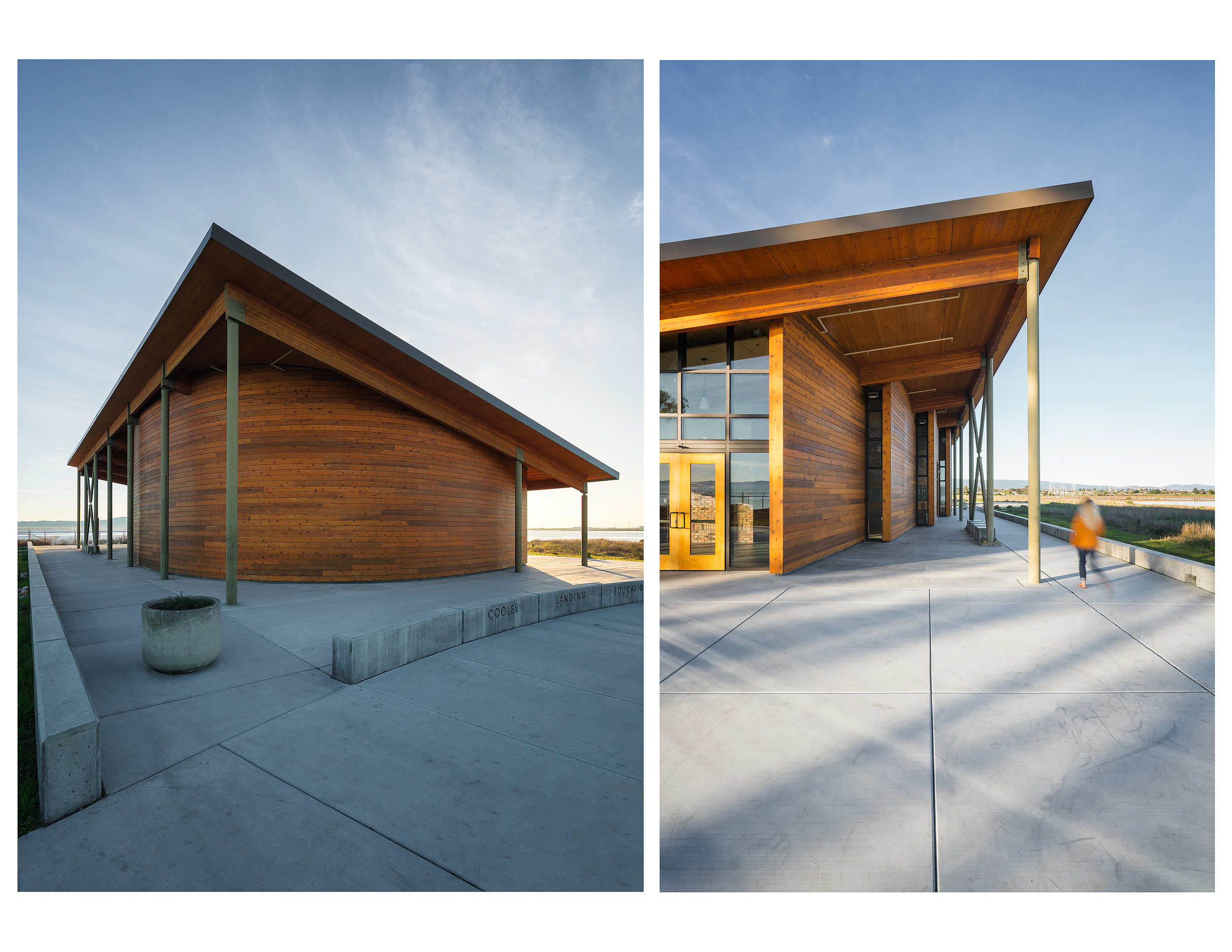
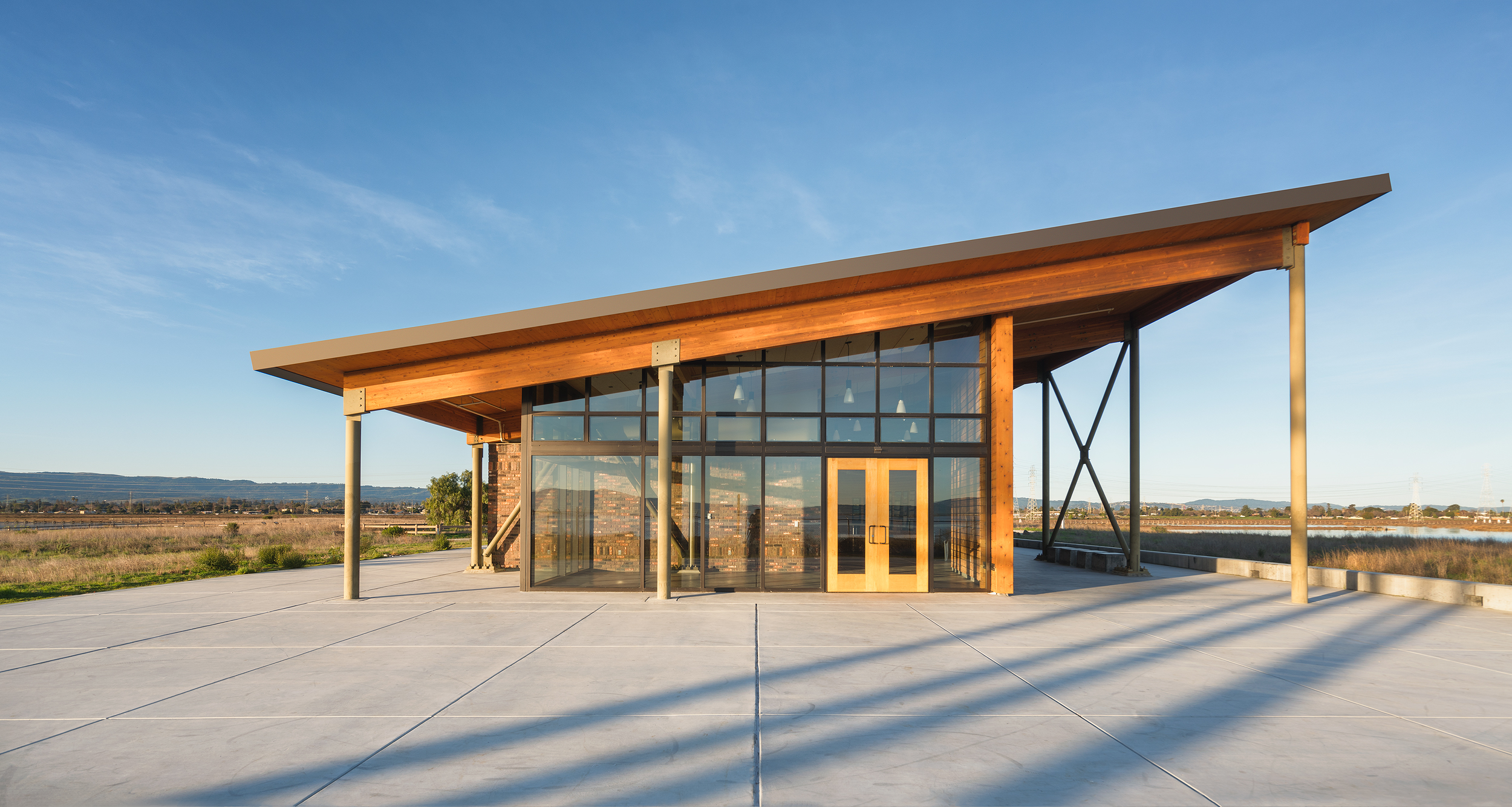
First post of the new year! I've had my eye on the Cooley Landing Education Center designed by FOG Studio Architects for quite sometime now. After seeing the images from the popular site Dezeen , I felt there was a lot of room for improvement. After some planning around the sun and its location relative to the site, I settled on a sunrise shoot with minimal cloud cover. I waited until after the sun had risen to allow for the unfiltered golden light to wash over the building and surrounding landscape.
I love the monolithic appearance this building has in a otherwise flat landscape. The wood work and shape pay homage to old masted ships and the brick represents the "ravenswood" brick factory in this location during the 19th century. Originally, this site was a landfill and in 2012 California State Parks Program awarded $5 million to the City of East Palo Alto to revitalize the area. This improvement was spread out over four phases and during phase three, FOG Studio Architects was awarded the contract to design an educational building. (To learn more about the design process, click here)
I look forward to hopefully working for Fog Studio on more projects!


Szabo Ranch House drone footage
Over the Thanksgiving weekend, I had the opportunity to connect with Tobin Dougherty Architects and capture their latest project by drone. This is a beautiful home in the Sierra Foothills on 40 acres, overlooking the Szabo Vineyard. The inspiration behind the project, as I was told by the owner, was to marry Palm Springs modernism with Sierra Foothills living. Looking forward to seeing the completed project in 2018.
Before & After- Twilight Photography
Mill Valley Residence- Richardson Architects
Twilight photographs are some of my favorite photos to create. It takes a lot of my landscape knowledge and applies it to architecture photography. When shooting landscape during a sunset or even under the Milky Way you are constantly capturing the environment in all types of light.
These type of photographs have both an artistic and functional aspect. By combining multiple photographs throughout sunset and blue hour I can capture the different stages of light on the home. I then "enhance" the light that is already there by using a GL-1 Hotlight and painting it on the scene as if the house lights are spilling out onto the landscape.
The image above is from a recent shoot with Richardson Architects based in Mill Valley, CA. Some challenges we faced while scouting our night shot was that the tree in the front yard was blocking most of the home. A one point perspective was out of the question for this reason. Moving to the left fixed this issue but there was just too much driveway in the frame. Since the second story was set back many of the views from the street were too low. As we moved back to the other side of the street we could begin to see the entire home. I set the camera on the tripod and extended up about 2-3 feet above my head and saw this was going to be our composition. Since I don't own a tripod this tall I moved my Jeep over and placed it on the hood (see photo below).
As sunset approached I began shooting multiple exposures until it got completely dark. I use an iPad connected through wifi on the camera to trigger the shutter remotely. This gives me the freedom to walk around with my GL-1 Hotlight and "paint" light into the scene where I think it works best.
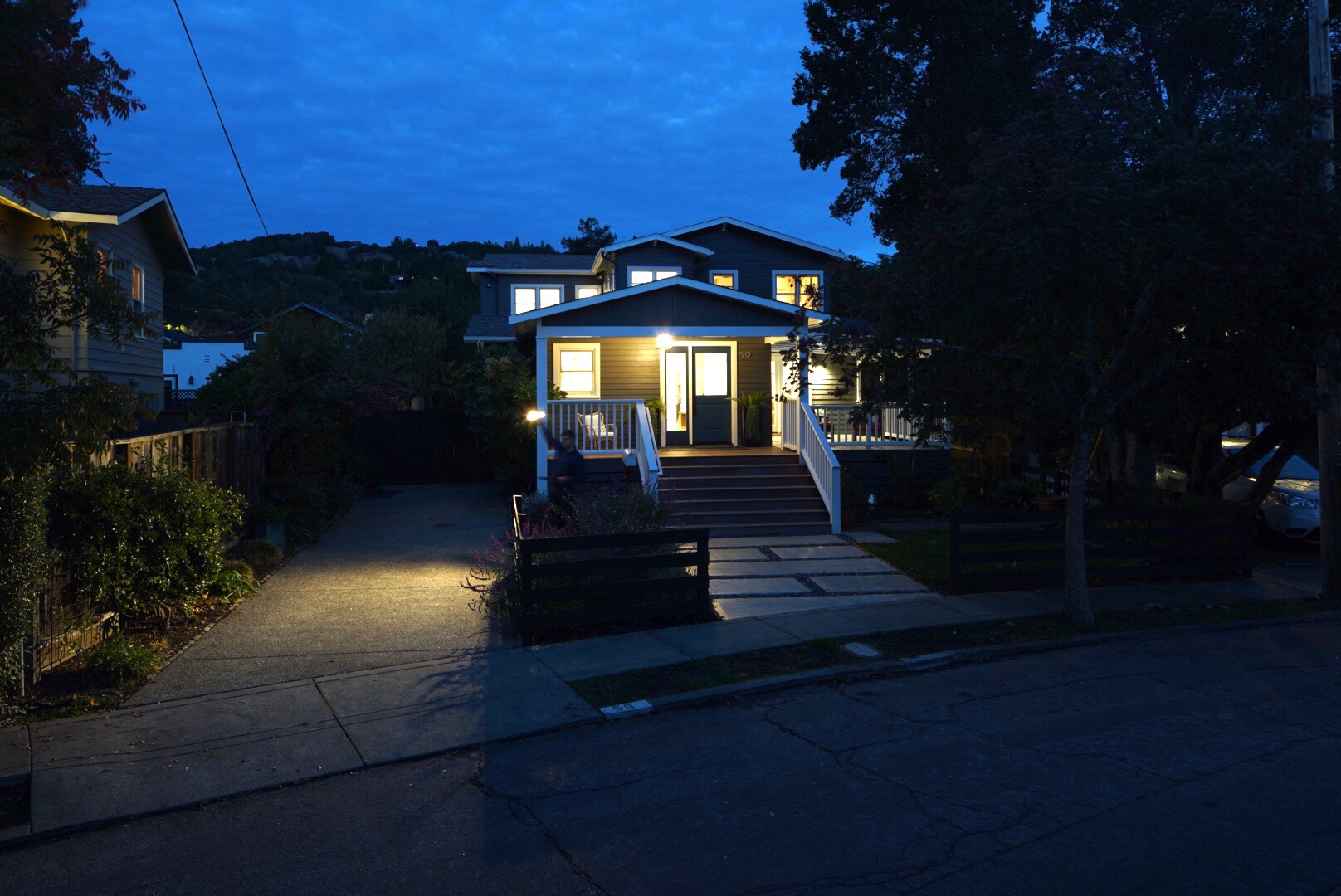
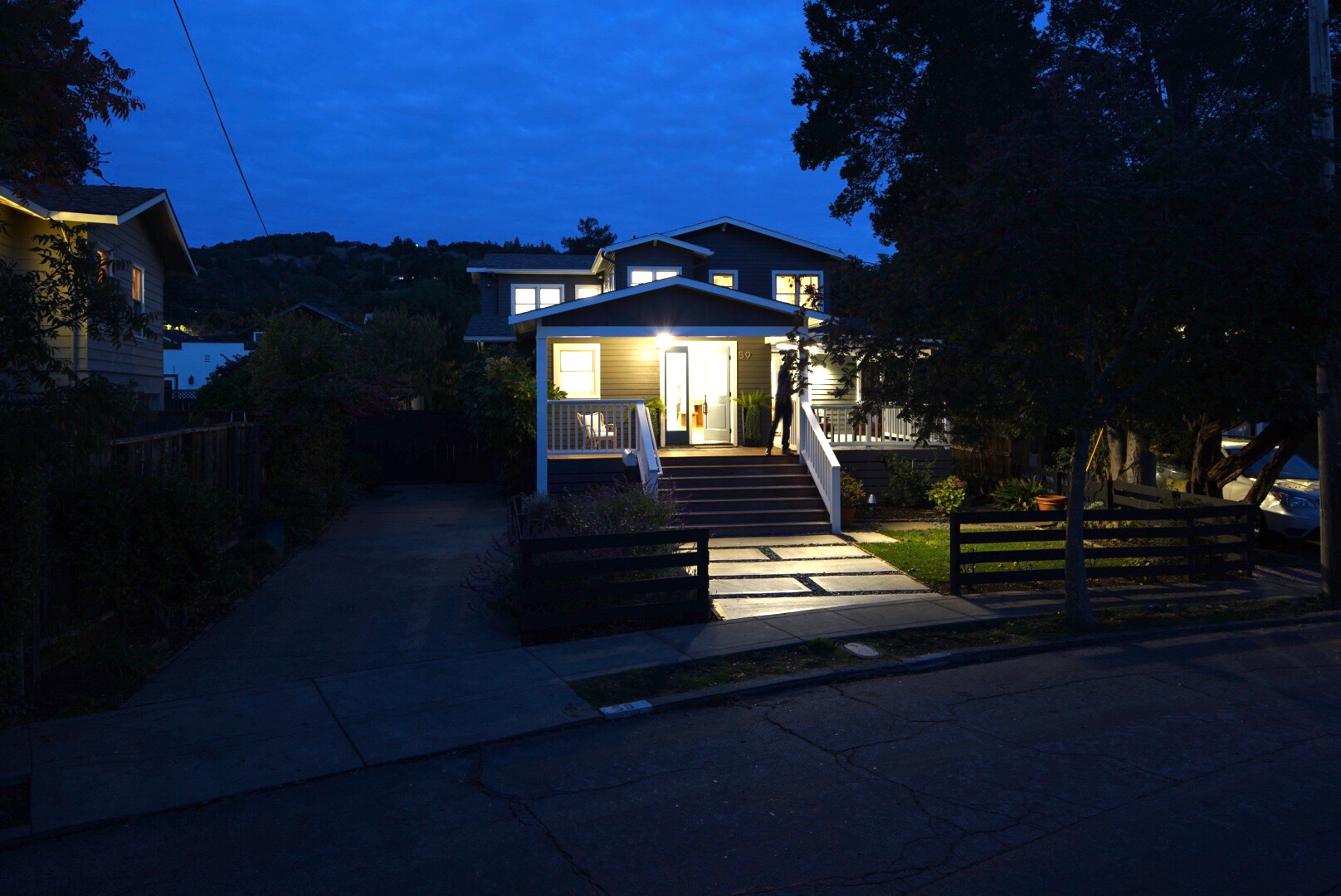
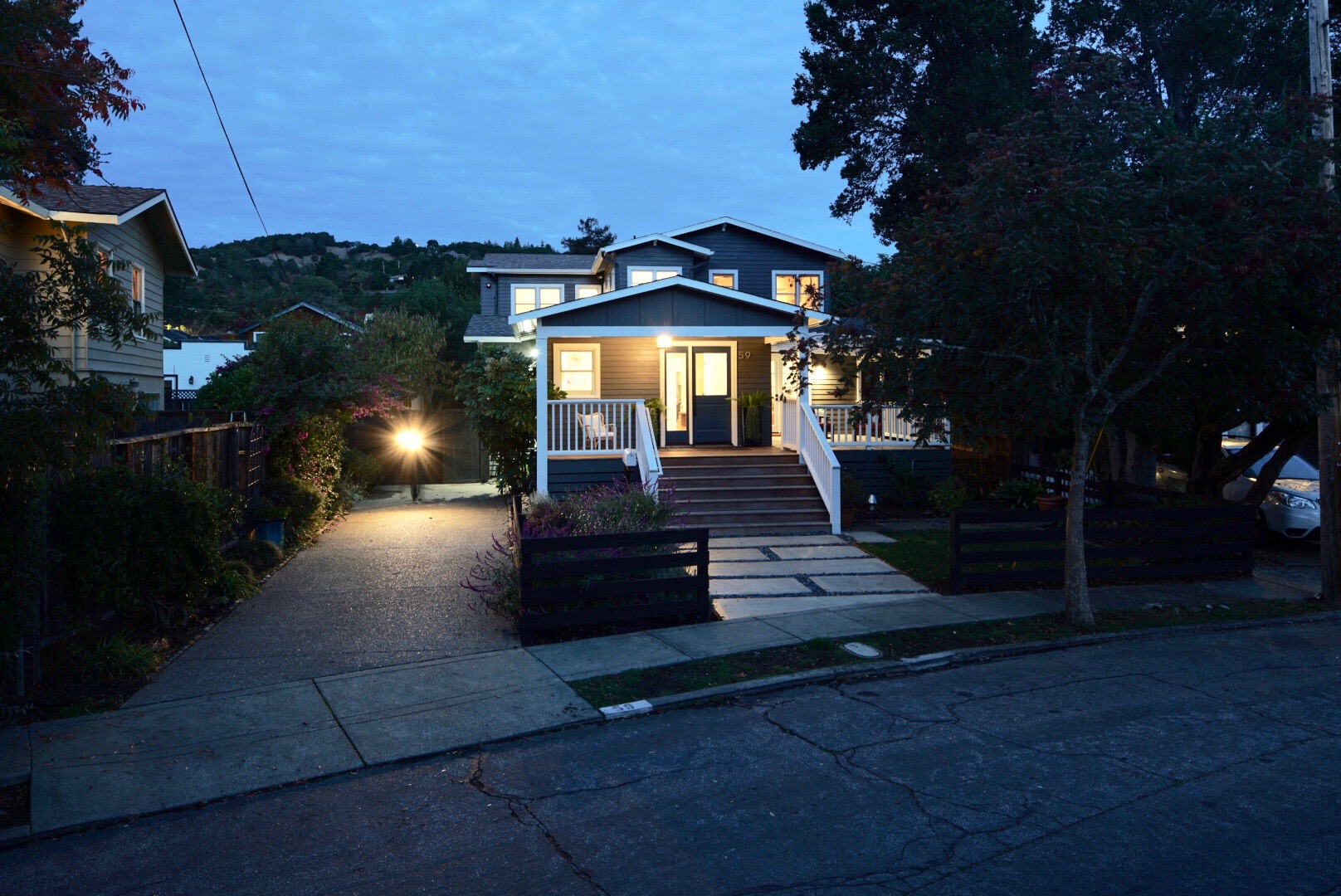
The series of images below are the culmination of shots taken that night. I then layered all these in photoshop to create the final image.
This is the base image I worked from. I exposed for the lights on the interior and built from there.
Here I have applied the 10 or so light painted layers to create the feeling that the house lights are spilling out onto the landscape.
Here I have made color and exposure adjustments to bring out the sky and surrounding landscape.
The road was a mess of cracks and patches. I decided to spend the extra time and clone them out. I also replaced the grass between the sidewalk and street as it was patchy and distracting.
Here is the final image after some more color correction and exposure adjustments. More cloning was done to remove the houses on the left and the car in the neighbors driveway.
About this Shot: Rodeo Star
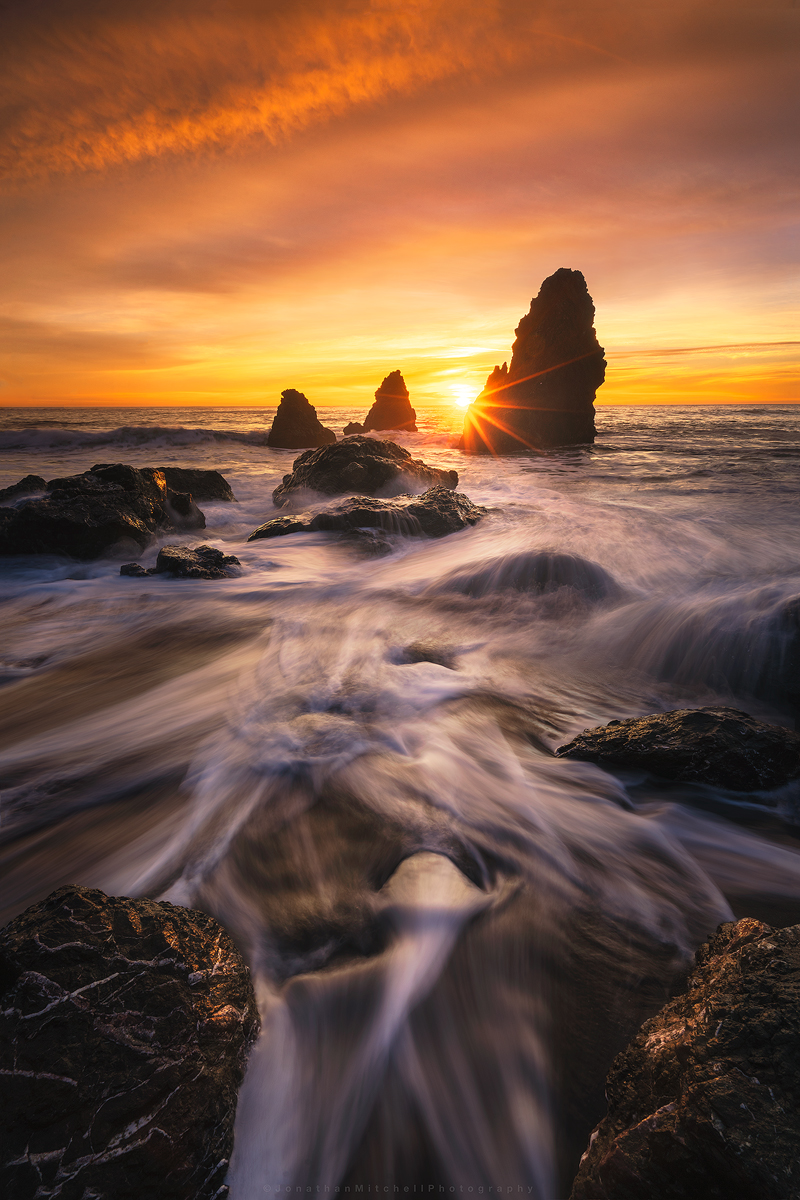
I'm starting a new series on my site called About This Shot where I share my thoughts behind my Landscape, Architecture, and Timelapse photos.

One of the first seascapes I ever captured was at Rodeo Beach a number of years ago (pictured left). Cronkite/ Rodeo Beach is a popular beach in the Bay Area and the sea stacks are among the best to photograph. During the winter time, high tides pull a lot of the sand off the beach and expose interesting rock patterns. Compositions are endless here and I think this is why it attracts so many photographers.
I've shot here over 20 times and each time achieved a different result. One of the keys to photography that I've learned is to pre-visualize your shot. I knew I wanted to use the exposed rocks and water flow as my foreground but deciding when to shoot the sky was the challenge. I arrived about 40 minutes before sunset to asses what state the beach was in. After spending 10 minutes watching the water flow I settled on this composition.
The Original Images:
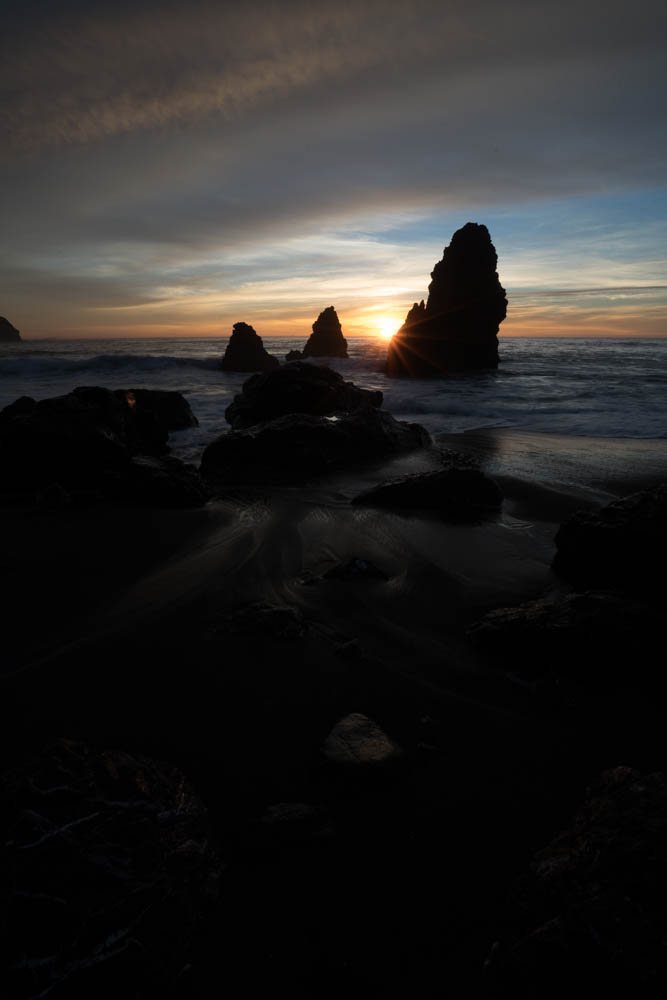

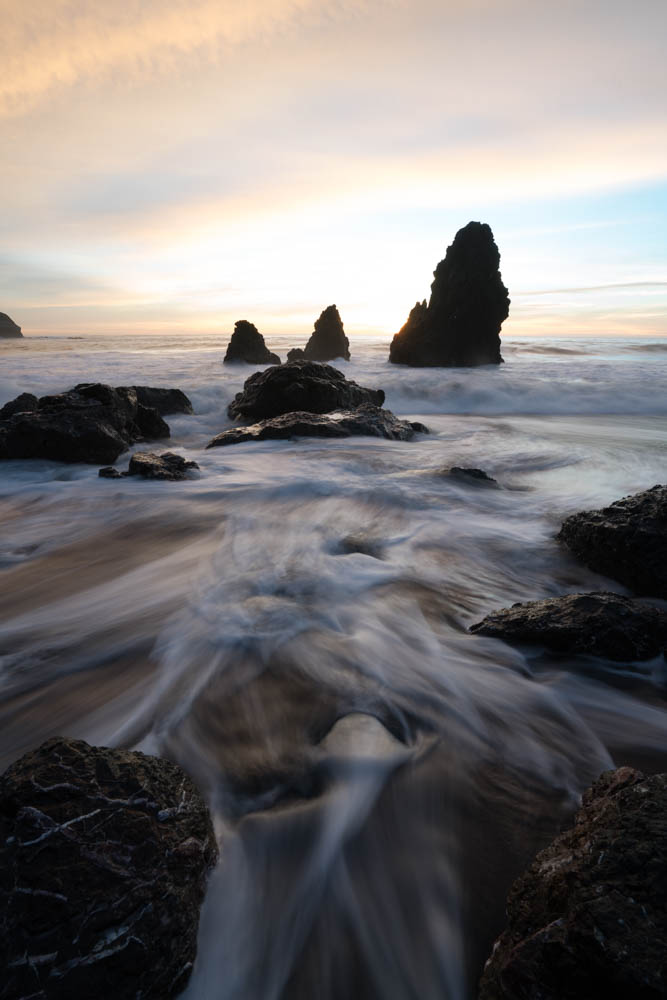
After looking over all the photos taken that night I selected the three shown above. One for the sunburst/sky and two for the water movement. The water in the foreground helps lead your eye to the sea stacks then out to the horizon. I start by applying basic edits like highlights/shadows, exposure balance, and some minor color adjustments to each of the images. I then export them out of Lightroom into photoshop as smart objects. Smart objects allows me to make micro adjustments once they are in a single file. Sometimes when you stack images you have to tweak the edits a little in order for them to blend correctly.
Once this is done I begin to work on adding more depth to the image by “painting light”. Creating both light and dark masks, I can target specific areas of the image to help move your eye through the scene. Lastly, there was a large blue hole that formed which distracted from the image. Using the clone tool I used various parts of the image to lightly fill that area in. I finished it off by cropping down and sharpening for various online outlets.
I hope you enjoyed this read and I look forward to sharing more posts like this!
Equipment used:
Sony a7rii
Sony 16-35f4
Induro ct-213 Carbon 8x
Adobe Lightroom/ Photoshop
Real Estate vs Architectural Photography
I was recently hired to shoot a new home construction in Mill Valley, CA. The builder told me they had some Real Estate photos done but they didn't quite capture the space like they had hoped.
This short post explains some of the differences between Real Estate photos and Architectural photos and my thinking behind my final images. I'm not calling out the Real Estate photographer or faulting his work. Since I have been in both situations I can relate to how quickly you need to shoot spaces and turn that work around. I am simply sharing my thoughts on why, as an Architectural photographer, my eye sees spaces differently and explain how I create more compelling images.
Let's first start with this living room shot.
On top is the Real Estate photograph and below is my shot. Typically with Real Estate photos, the photographer is trying to emphasize how large the room is and thus shoots with an extremely wide lens. Objects become very distorted and not to scale with the rest of the room. The couch circled in red is a prime example. The edge of the couch is more than twice the size of the chair sitting across from it. Other examples of extreme wide angle distortion can be seen in the trusses, the table to the left, and the far room which is too small to make out what is back there.
In contrast, I chose to shoot this with my 24mm tilt-shift lens. 24mm is still wide enough to capture the room but provides very little distortion. I moved the camera forward in the scene and positioned it as if you were sitting on the couch. The Architect (OXB STUDIO) obviously spent a lot of time thinking about how the spaces interact with each other and created a central courtyard which the living room, dining room, and guest bedroom all look out at. By opening the door next to the fireplace and the large slider in the family room, I allowed the eye to move through the scene without interruption.
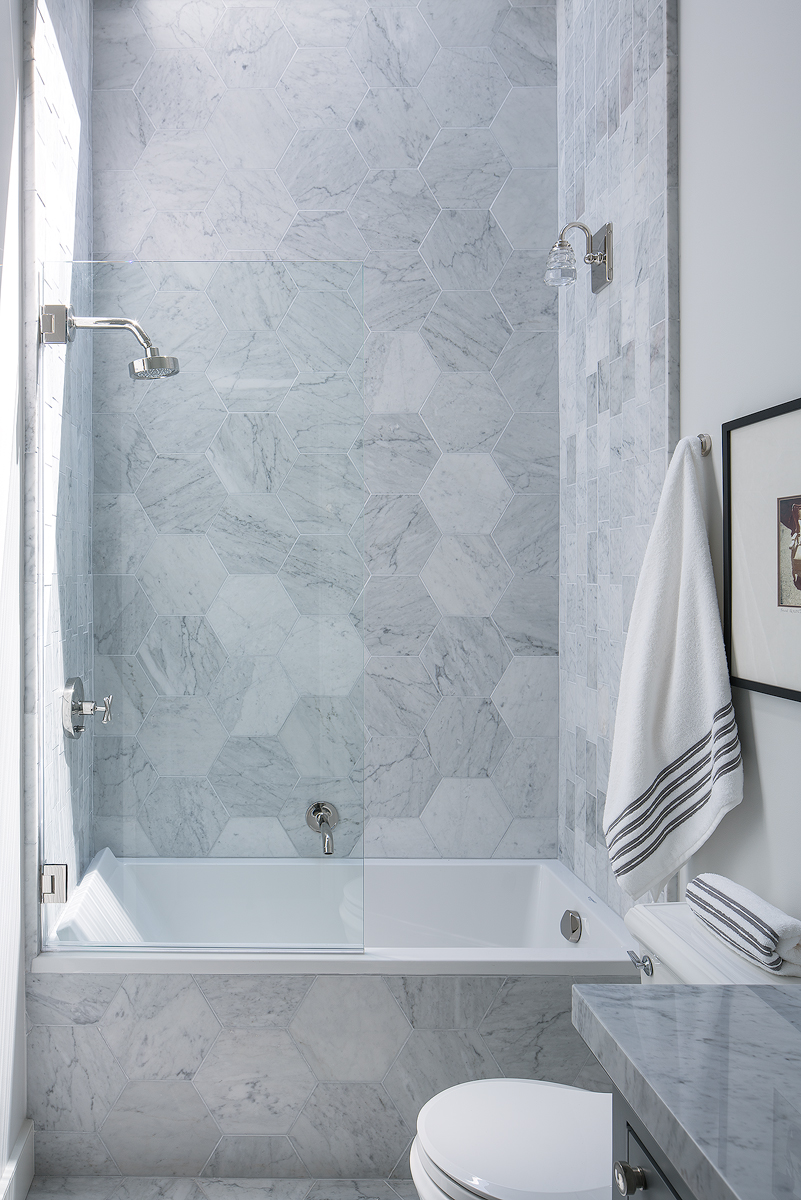
The wide angle lens strikes again. Above is the Real Estate shot for this beautiful guest bathroom. We can see that it is trying to show the vanity, toilet, shower, and size of the room. While this is a fine shot to help sell the home, here is why it doesn't work as an architectural image.
The second photo shows my take on this bathroom and why it's crucial to learn how light interacts with each home. A lot of thought is put into the placement of windows and special features like skylights, and at certain times of the day they can produce a profound effect. For this shot, I continuously checked on the bathroom, waiting for the exact time to take advantage of the light streaming in and used only natural light to illuminate the space. I set the camera up in the doorway and "shifted" the lens to the right slightly to eliminate the door while still keeping the 1 point perspective. I purposely cut off the sink and toilet because your eye will naturally fill that space in with those objects. I pulled much of the color cast out in post as I wanted this image to feel modern and clean.
*Some background on this shoot. When I book a shoot I ask for a minimum of 4-6 hours on location and for larger homes 8-12 hours. Many might say well that seems like way more time than you need to get some shots. How hard can it be? While the RE photographer only has maybe an hour to get his shots in before he/or she needs to move on to the next home, I on the other hand have more time to think about light, composition, and space. This allows us to time shots which might have been missed otherwise.
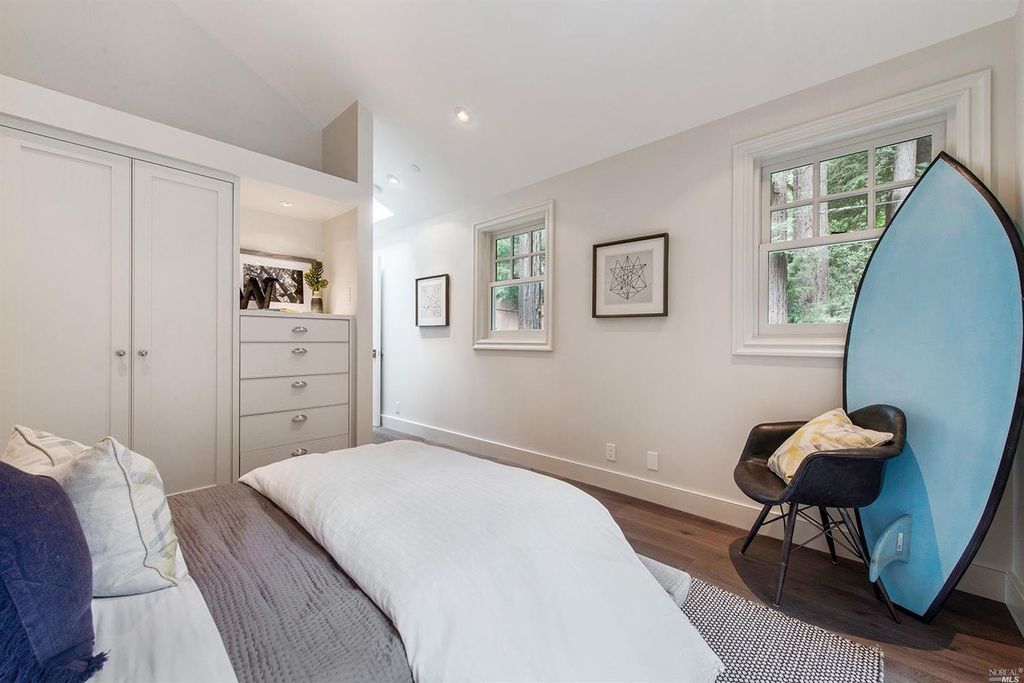
My last example covers one of the guest bedrooms in the house. When we scouted, the builder mentioned that they spent a lot of time and effort on the built-ins throughout the bedrooms. I chose to do a one-point perspective here as I felt it was the most powerful. The rug, floor, bed, and light all direct your eye through the image- first stopping at the built-ins and then moving on to the far room. We moved a dark, heavy couch from the family room and placed the Eames chair that was previously in the bedroom at the end of the frame, slightly off camera, to break up the white wall which helped to show scale and give an end point for the eye.
I hope this brief breakdown has given you some insight into my thinking behind these shots and the differences between Real Estate Photography and Architectural Photography. As I take on more and more projects I will continually update this blog with my thoughts. More photos can be seen below.
Links listed below:
About This Shot: Tufa Arrival
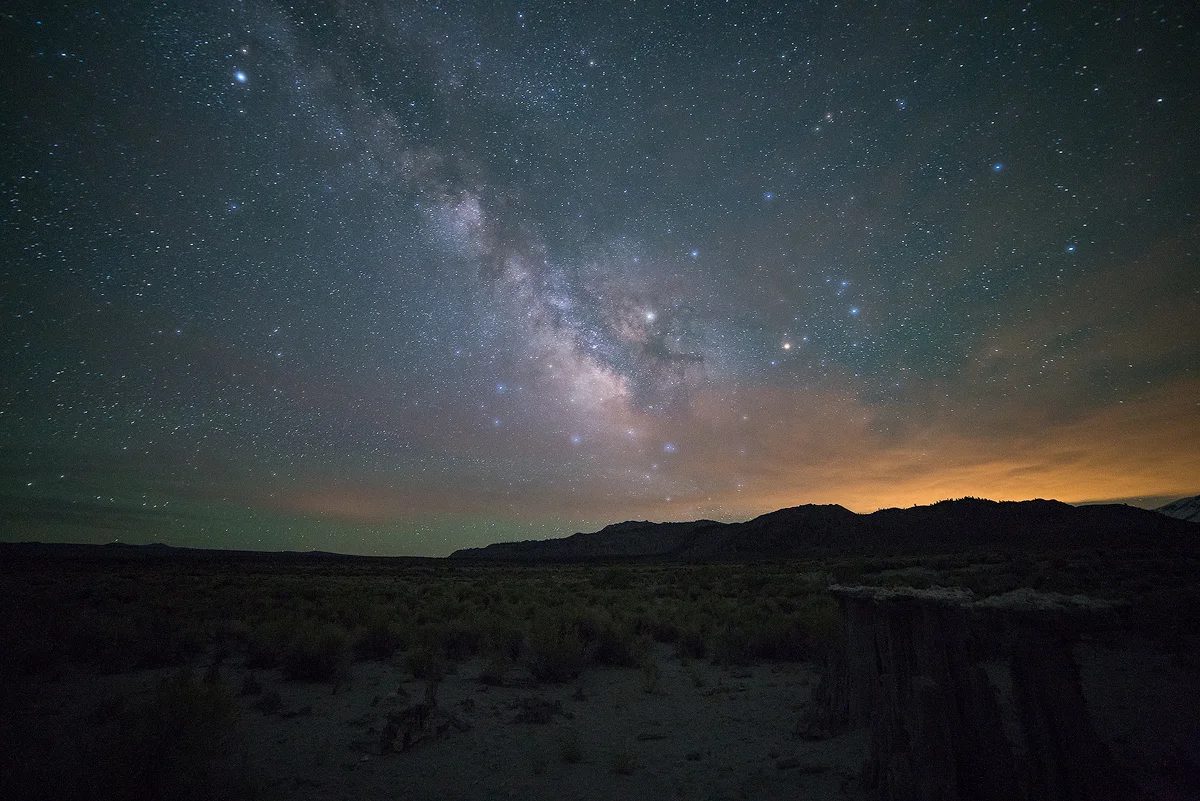
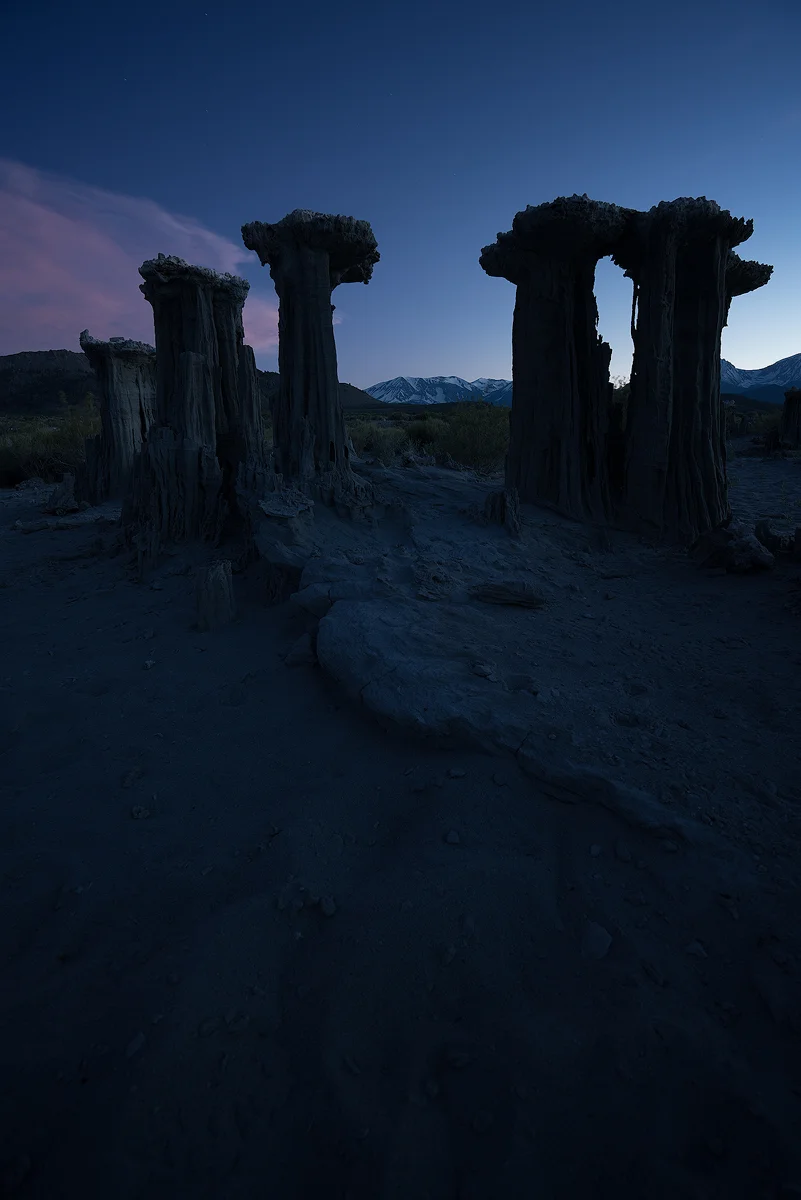
I think it's time to write another "about this shot" post. This time I want to talk about my recent image from a trip I took back in June 2017. I'd seen images of these sand Tufas for a number of years and each time I was at Mono Lake I never searched them out. I have had this composition in my head of the Milky Way lining up in between these Tufas.
Rhino Motion in Iceland
At the start of 2015 I began my journey into timelapse photography. It had been on my mind since I picked up the camera a number of years ago. I made a few films throughout the year; a series titled “Discovery,” which were filmed throughout the West Coast. After putting these together, I really wanted to travel internationally- somewhere with unique landscapes that would be a challenging and exciting location for my first timelapse of 2016. With a great deal on airfare to Iceland, my wife and I saw our opportunity and the big trip I had been hoping for was scheduled. I knew Iceland was going to be exactly what I was looking for with it's vast landscapes and constantly changing weather. We pre booked AirBnB's around the island before we arrived, planning on a few days in each area. We also left a few nights open to sleep in our car in case we found something we wanted to spend more time at along the way.
With the trip coming up, I began planning out the gear I would be packing on my back throughout my two weeks in Iceland. I had been using eMotimo for my past timelapses, but Rhino had since come out with their Motion System. With its light weight design, slick interface, and simple “set up and shoot” mentality, I knew it was something I wanted to add to my kit. The guys at Rhino were able to get the Motion and their Rhino Slider Evo Carbon 24" over to me just in time for my flight, and I couldn't be more excited to try them out.
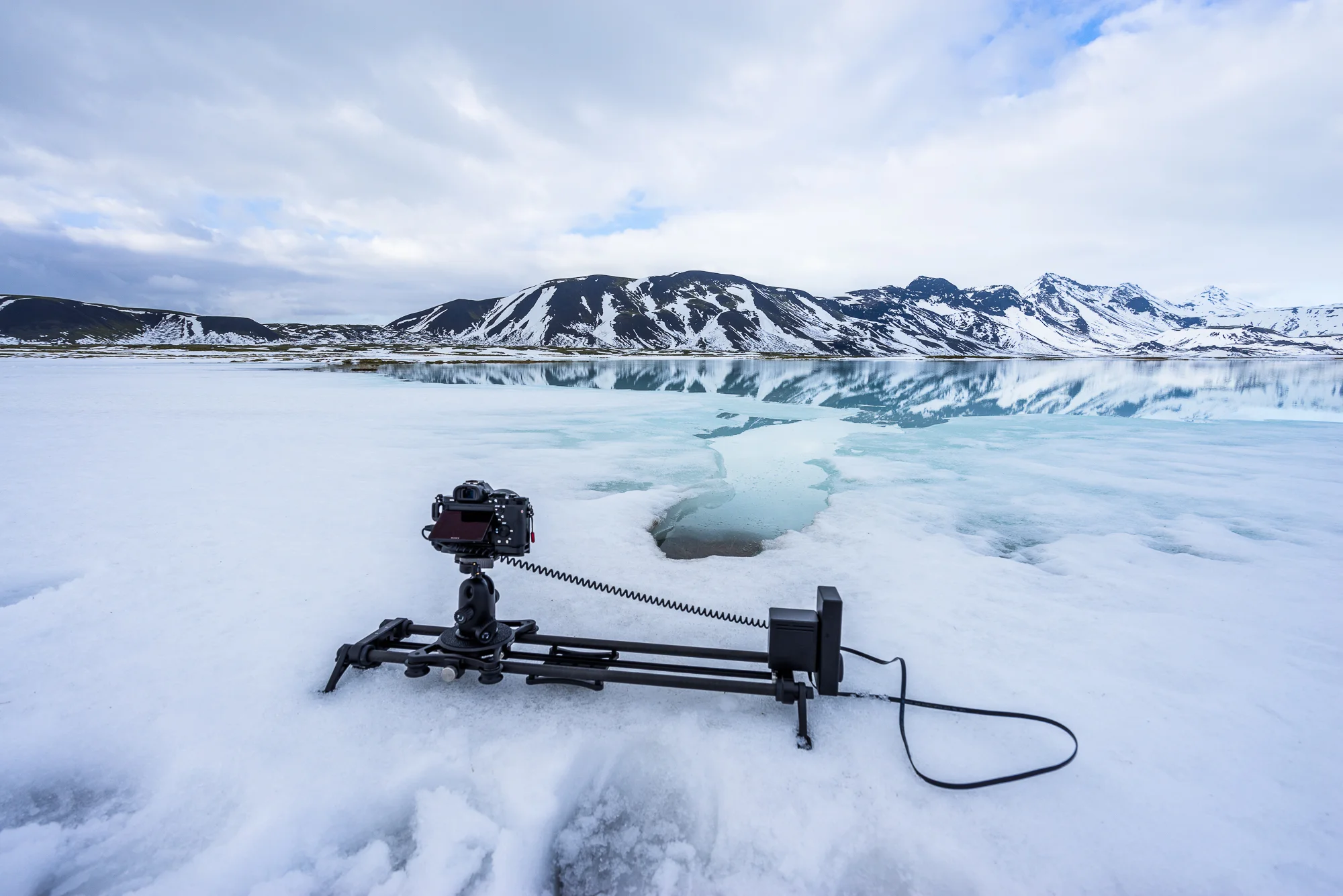
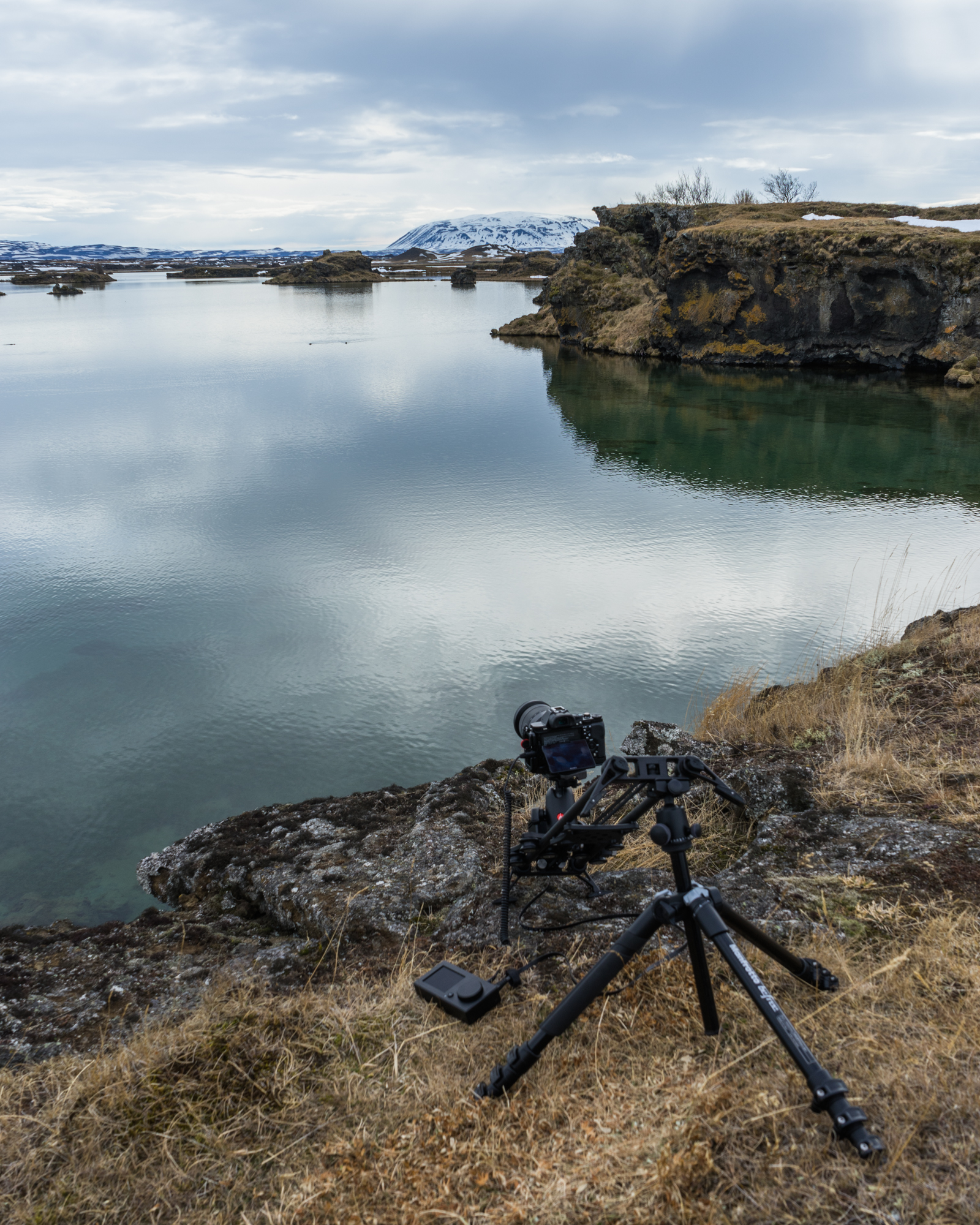
My first experience using the Motion was at a random stop along our drive around the Golden Circle. We were on our way to Bruarfoss and Gullfoss when we saw this beautiful glacier melt lake with snow covered shores and had to pull over. We ventured out and after a bit of exploring I found a unique spot in the lake that showed a glimpse into the frozen water below and reflections of the mountains behind. I got out the Motion and adjusted the rugged feet so that it was level on the snow. Since the entire system weights only 4lbs it was able to distribute the weight evenly across the snow. In just a few minutes I was up and running, shooting the rapidly changing weather.

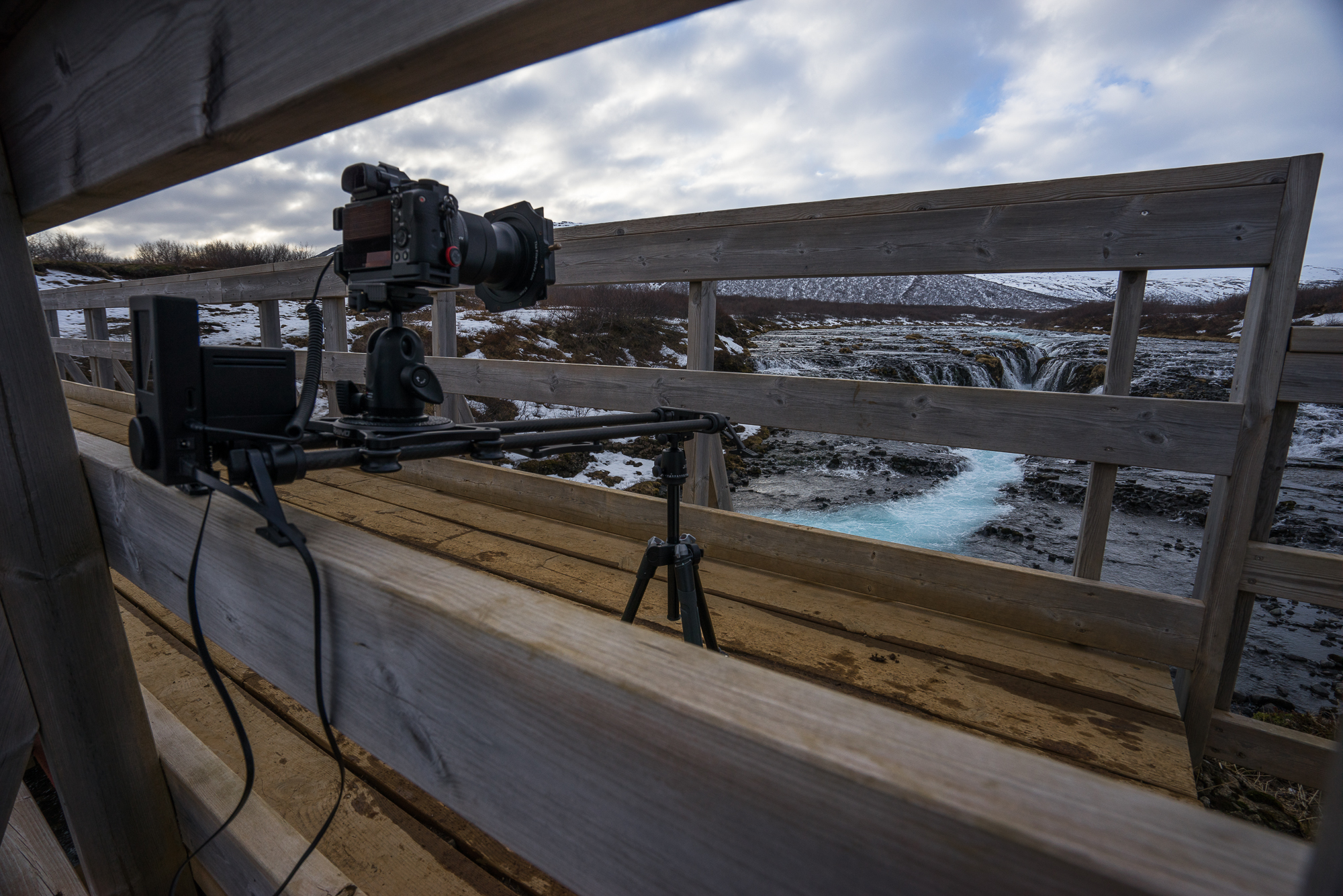
With my first timelapse shot in the bag, I was excited to keep going. Our next stop was Bruarfoss, and after a very bumpy ride through unpaved residential roads filled with pot holes, our trusty rental car got us to the parking area. I grabbed my bag and headed out for the short hike to the falls. We had the waterfall to ourselves so I scouted it out, trying different locations before settling on a forward moving shot through the beams of a walking bridge that framed Bruarfoss in a very dramatic way. I attached a tripod mount on one end of the slider and placed the other end on the opposite side of the bridge. Since Rhino Motion attaches directly to the slider carriage, the height of the rails is minimal. This means that it was at the perfect height to capture exactly what I had envisioned. It was mounted in a tricky spot but since the controls are not directly on the unit it meant I could stand a a few feet back and set up the shot.
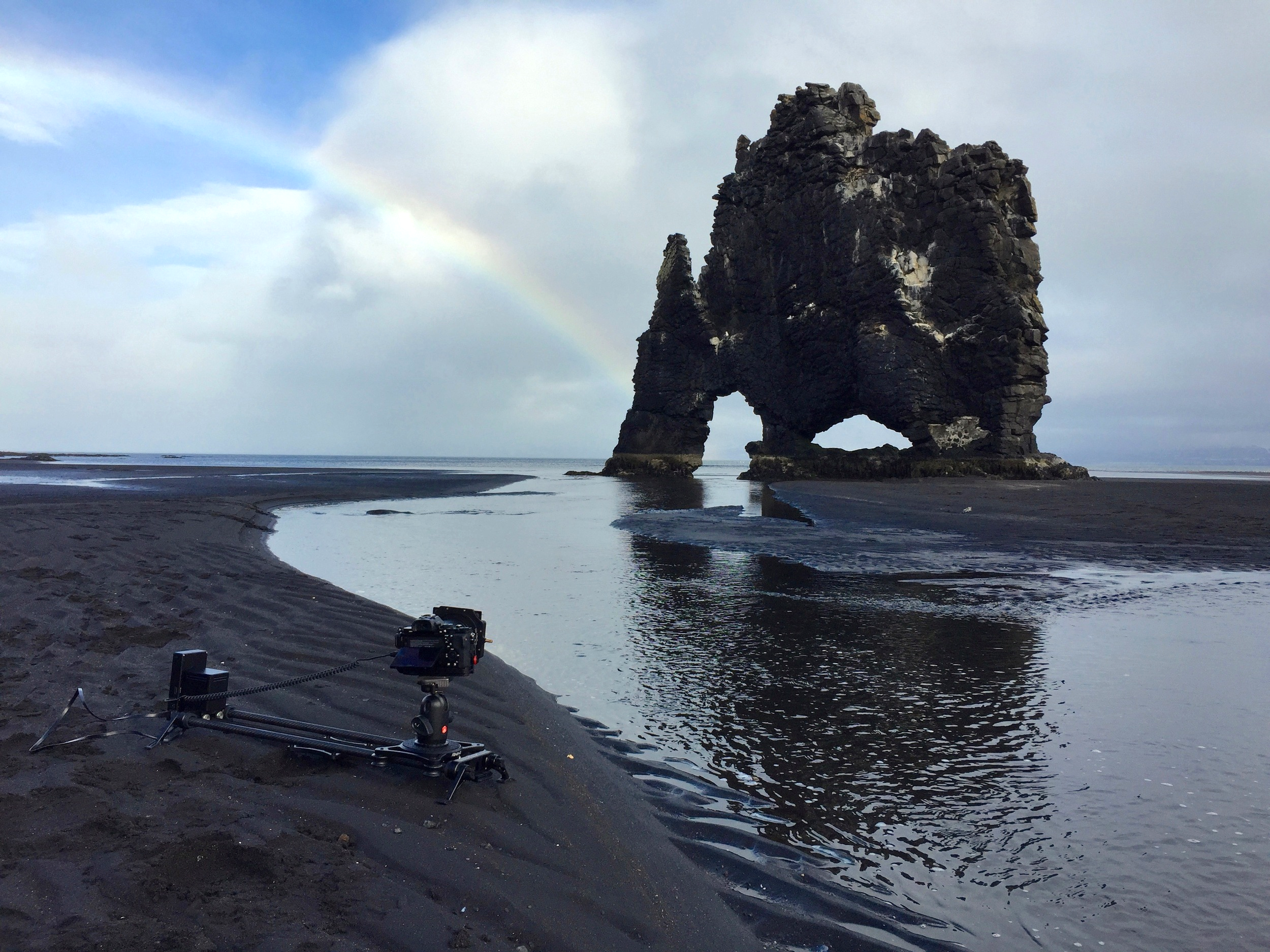
Making our way around the island, Hvitserkur was another location I was really looking forward to. It is on the northwestern part of the island and the beach has a huge basalt formation that some say looks like a dragon drinking out of the water. When we arrived at the beach, the sky was grey and it was sprinkling off and on. We had the whole day ahead of us and nothing else planned on our way to Akureyri so I took my time with stills, waiting out the small waves of people that came down to shoot the unique rock. Waiting paid off in the end- as I was setting up the rails to get a sliding timelapse near the stream, the sky began to clear up, and a full rainbow appeared. The last group of people left, and I hurried over to the spot I had planned to set up the Motion, this time with the added bonus of a rainbow in the background.
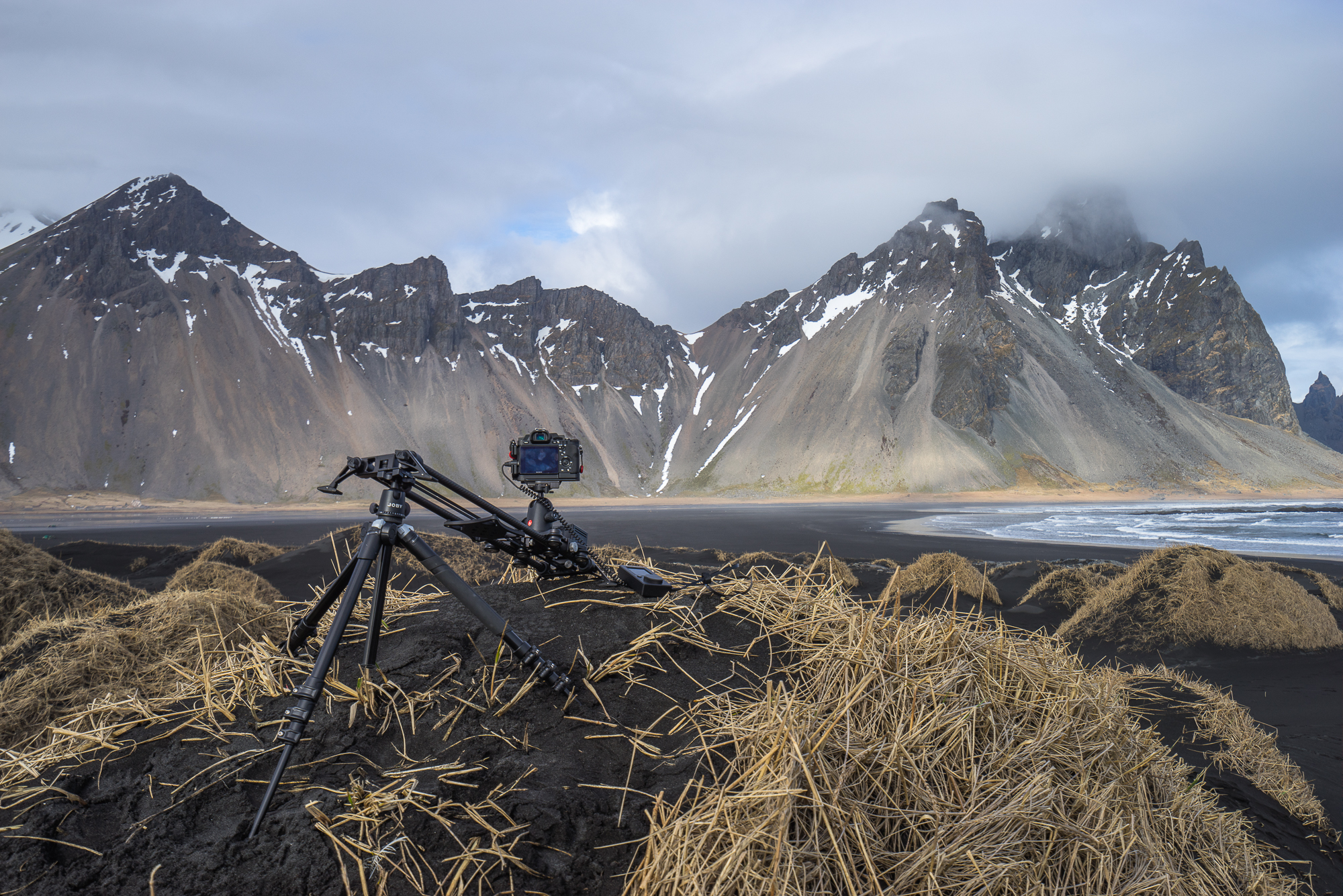
Continuing our journey around the island I was able to shoot in various locations, from mossy lava fields to glacier chunks on black sand beach, to the Vestrahorn mountains at Stokksnes. While the Rhino Motion performed as I hoped it would, the fact that it was set up and ready to go in it’s 24" Carrying Case at all times was what really impressed me. The armor protected it on the plane and in the car with all of our luggage, yet was easy to access and pull out at a moments notice. This was key to capturing whatever caught my eye on my journey around Iceland. As the locals say, “If you don’t like the weather wait a few minutes,” but I found that if I did like the weather, I might only have few minutes before it took a turn for the worse. The quick set up and ease of use was something I really appreciated from it- it allowed me to capture the scenery and weather I was experiencing in that very moment, a moment that often didn't last long.

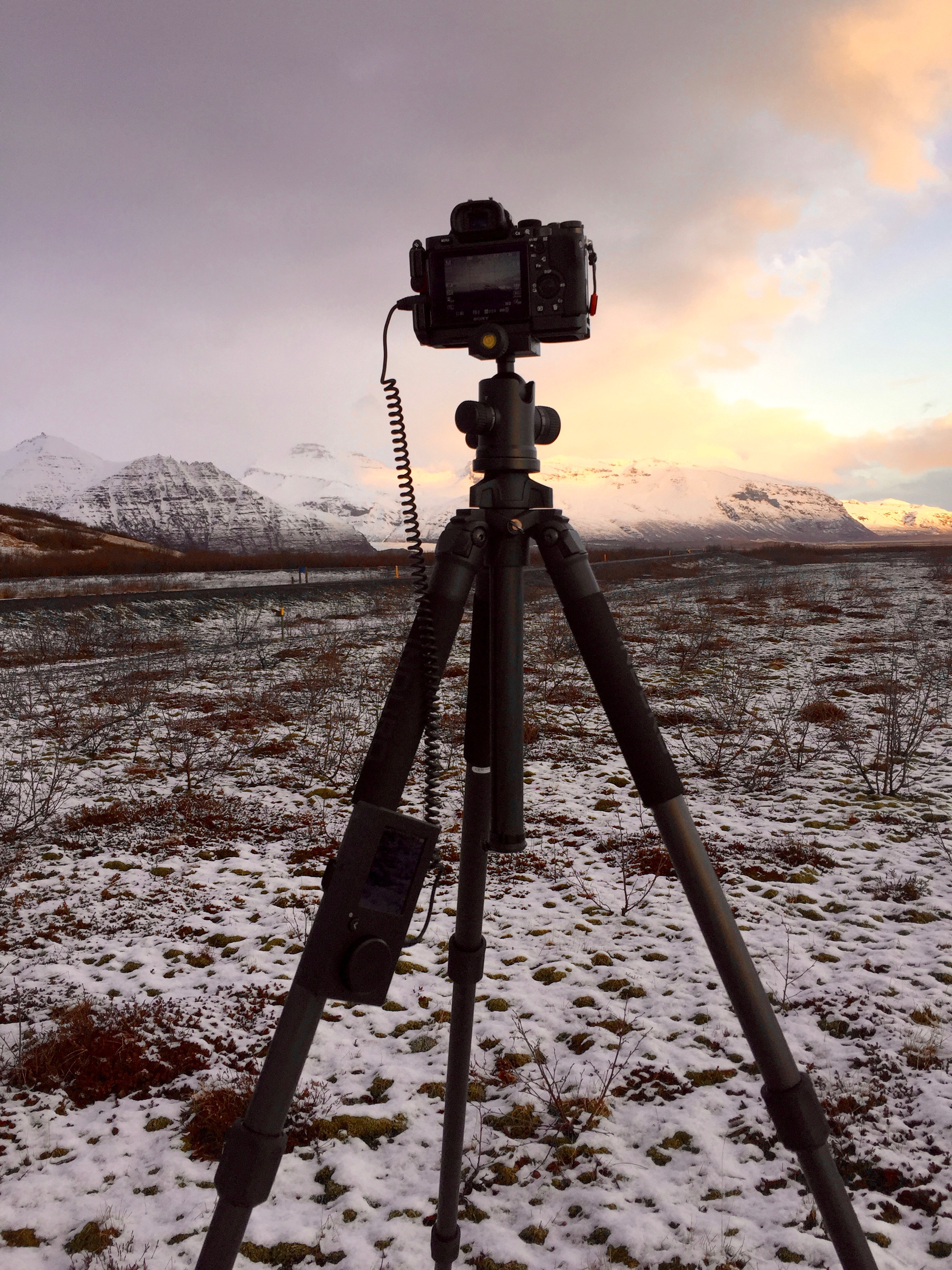

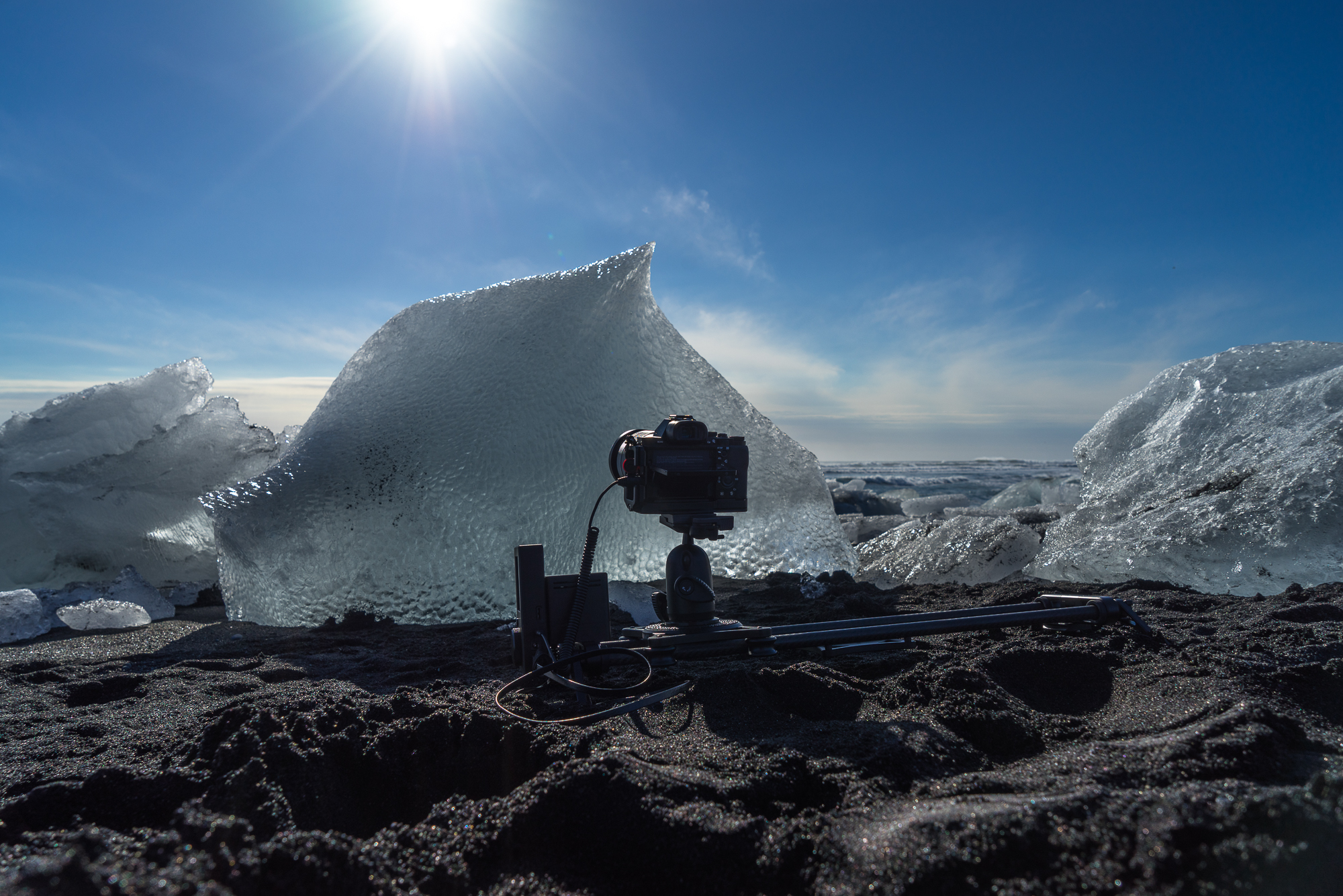
Overall Experience with Rhino Motion
Using the Rhino Motion throughout the trip was extremely positive. I never ran into a situation the slider setup couldn't handle. I was even able to use the rhino motion as an advanced intervalometer without the rails. This made calculating a timelapse a breeze as you input the length of clip and shutter speed. This came in handy for adjusting the exposure settings and seeing the progress of the shoot. Battery life was never an issue even after doing inclined motions; it lasted almost the entire trip on one charge. I look forward to further exploring the limits of what the Rhino Motion can shoot and pairing it with their new Rhino Arc in the future.
Blog post and more Rhino products can be seen here: Rhino Camera Gear

-
February 2018
- Feb 20, 2018 Afternoon at UC Davis Feb 20, 2018
- Feb 2, 2018 Cooley Landing Education Center Feb 2, 2018
-
December 2017
- Dec 18, 2017 Szabo Ranch House drone footage Dec 18, 2017
-
November 2017
- Nov 28, 2017 Before & After- Twilight Photography Nov 28, 2017
-
September 2017
- Sep 12, 2017 About this Shot: Rodeo Star Sep 12, 2017
- Sep 1, 2017 Real Estate vs Architectural Photography Sep 1, 2017
-
August 2017
- Aug 23, 2017 About This Shot: Tufa Arrival Aug 23, 2017
-
April 2016
- Apr 13, 2016 Rhino Motion in Iceland Apr 13, 2016